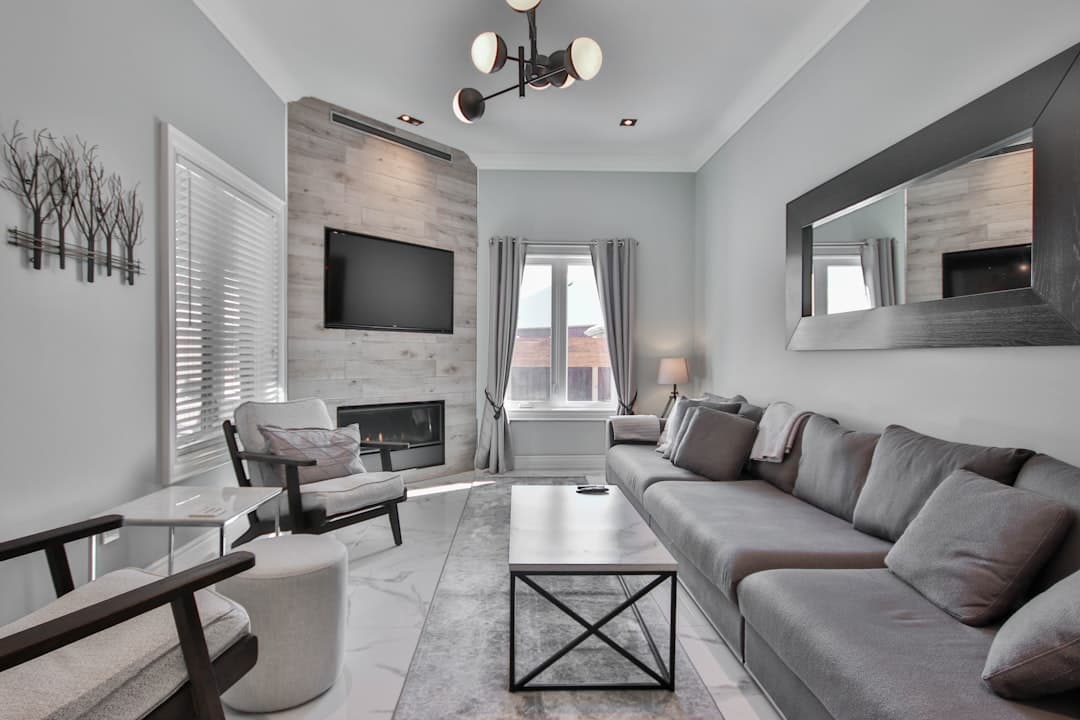
5 Common TV Mounting Mistakes and How to Avoid Them
Why Does TV Mounting Go Wrong So Often?
TV mounting is one of those projects that looks deceptively simple. How hard can it be to put a few screws in the wall and hang a TV? The answer, unfortunately, is that quite a lot can go wrong — and the consequences range from annoying (a TV at the wrong height) to expensive (a 65-inch TV crashing to the floor because it was not anchored properly).
At Best Bay Services, we mount TVs in homes throughout Tampa Bay every week, and we see the same mistakes over and over — either from homeowners who attempted it themselves or from previous installations done incorrectly. Here are the five most common TV mounting mistakes and how to avoid them.
Mistake 1: Mounting the TV Too High
This is by far the most common TV mounting mistake, and it is driven by an understandable instinct — higher feels more impressive. But a TV mounted too high creates neck strain and an uncomfortable viewing experience, especially for extended watching.
The ideal TV mounting height places the center of the screen at seated eye level. For most people sitting on a standard sofa, that means the center of the TV should be approximately 42 to 48 inches from the floor. For a 55-inch TV, the bottom edge should be about 28 to 32 inches off the floor. For a 65-inch TV, it is about 24 to 28 inches.
The one exception is above-fireplace mounting, which is inherently higher than ideal. If mounting above a fireplace, use a tilting mount that angles the screen downward toward viewers. Even so, be aware that this is a compromise — it is a common placement but not an ergonomically ideal one.
Mistake 2: Not Hitting Studs
This is where TV mounting goes from uncomfortable to dangerous. A modern TV can weigh 30 to 80 pounds, and a mount adds another 5 to 15 pounds. That weight must be anchored into wall studs — the wooden framing members behind your drywall — not just into the drywall itself.
Drywall alone cannot support the weight of a mounted TV. Even heavy-duty drywall anchors are not adequate for TV mounting. The mount must be secured with lag bolts driven directly into at least two wall studs. This requires a stud finder and verification — tap on the wall, use a magnet to find drywall screws, or drill a small test hole to confirm the stud location before committing to the full installation.
In some homes, particularly those with metal stud framing (common in Florida condos and newer construction), special toggle bolts rated for the weight of your TV and mount may be necessary. This is a situation where professional installation is strongly recommended.
Mistake 3: Ignoring Cable Management
A beautiful wall-mounted TV loses all its clean, modern appeal when a tangle of cables hangs down the wall. Cable management is a critical part of the installation that many DIYers skip or handle poorly.
The best approach is to route cables through the wall using a cable management kit that includes two low-voltage wall plates — one behind the TV and one behind your media equipment below. The cables run inside the wall between the two plates. This is code-compliant for low-voltage cables (HDMI, speaker wire, coax) and creates a perfectly clean look.
Power cords are a different story. Running a standard power cord through the wall violates building code because it creates a fire hazard. The proper solution is a power bridge kit that provides a code-compliant outlet behind the TV, connected to an existing outlet below. Or simply run the power cord in a paintable surface-mounted cable raceway for a clean look without code concerns.
Mistake 4: Choosing the Wrong Mount Type
TV mounts come in three main types, and choosing the wrong one leads to frustration:
- Fixed mounts hold the TV flat against the wall with no movement. They are the simplest and cheapest option, ideal when you are mounting the TV directly in front of a centered seating position. But if you ever need to adjust the angle or access the ports on the back of the TV, you are out of luck.
- Tilting mounts allow the TV to tilt downward (and sometimes slightly upward). These are the best choice for above-fireplace mounting or any installation where the TV is above seated eye level. They also make it easier to reduce glare from windows or overhead lighting.
- Full-motion (articulating) mounts extend from the wall and swivel left, right, up, and down. These are ideal for corner mounting, open-concept rooms where you might watch from different seating areas, or kitchens where you want to swivel the TV toward different work areas. They are more expensive and require more robust stud anchoring due to the leverage forces involved.
Match the mount to your room layout, viewing angles, and TV size. And always verify the mount's weight and size ratings match your specific TV before purchasing.
Mistake 5: Forgetting About Glare and Lighting
You picked the perfect height, hit the studs, managed the cables, and chose the right mount. Then you turn on the TV during the afternoon and cannot see anything because of window glare. Tampa Bay homes get intense sunlight, and glare is a common issue with wall-mounted TVs.
Before you drill, sit in your primary viewing spot at different times of day and observe where sunlight falls. Mounting a TV on a wall that faces a large window is asking for glare problems. If you cannot avoid it, a tilting or full-motion mount lets you angle the screen away from glare. Blackout curtains on the offending windows are another effective solution.
Why Professional TV Mounting Is Worth It
A professional TV mounting service handles all five of these concerns in a single visit. We verify stud locations, select the right height and mount type, manage cables cleanly, and ensure everything is secure and level. The whole process typically takes 1 to 2 hours and costs far less than repairing a wall from a failed DIY attempt — or replacing a TV that fell.
Best Bay Services mounts TVs of all sizes throughout Tampa Bay — living rooms, bedrooms, patios, offices, and more. Call James Evans at (813) 416-8676 to schedule your TV mounting and get it done right the first time.
Need Professional Help?
Let James handle it — call for a free estimate today.
Common Questions
Related Guides
Smart Home Upgrades That Add Value to Your Florida Home
Smart home technology is no longer a luxury. These upgrades add convenience, energy savings, and real value to your Tampa Bay home.
How Much Do Handyman Services Cost in Tampa Bay?
Understanding handyman pricing helps you budget for home repairs. Here is what Tampa Bay homeowners can expect to pay for common handyman services.
10 Signs Your Tampa Bay Home Needs a Handyman
Not sure when to call a handyman? Here are 10 clear signs your Tampa Bay home is overdue for professional attention.

James Evans
Owner & Lead Technician
James has over 10 years of experience in home repair and maintenance throughout Tampa Bay. He founded Best Bay Services to bring honest, quality handyman work to local homeowners, landlords, and property managers.